Business Staff
Add staff members, specify staff member roles, change usernames and passwords and activate/deactivate staff members in Setup/Staff.
Manage Staff:
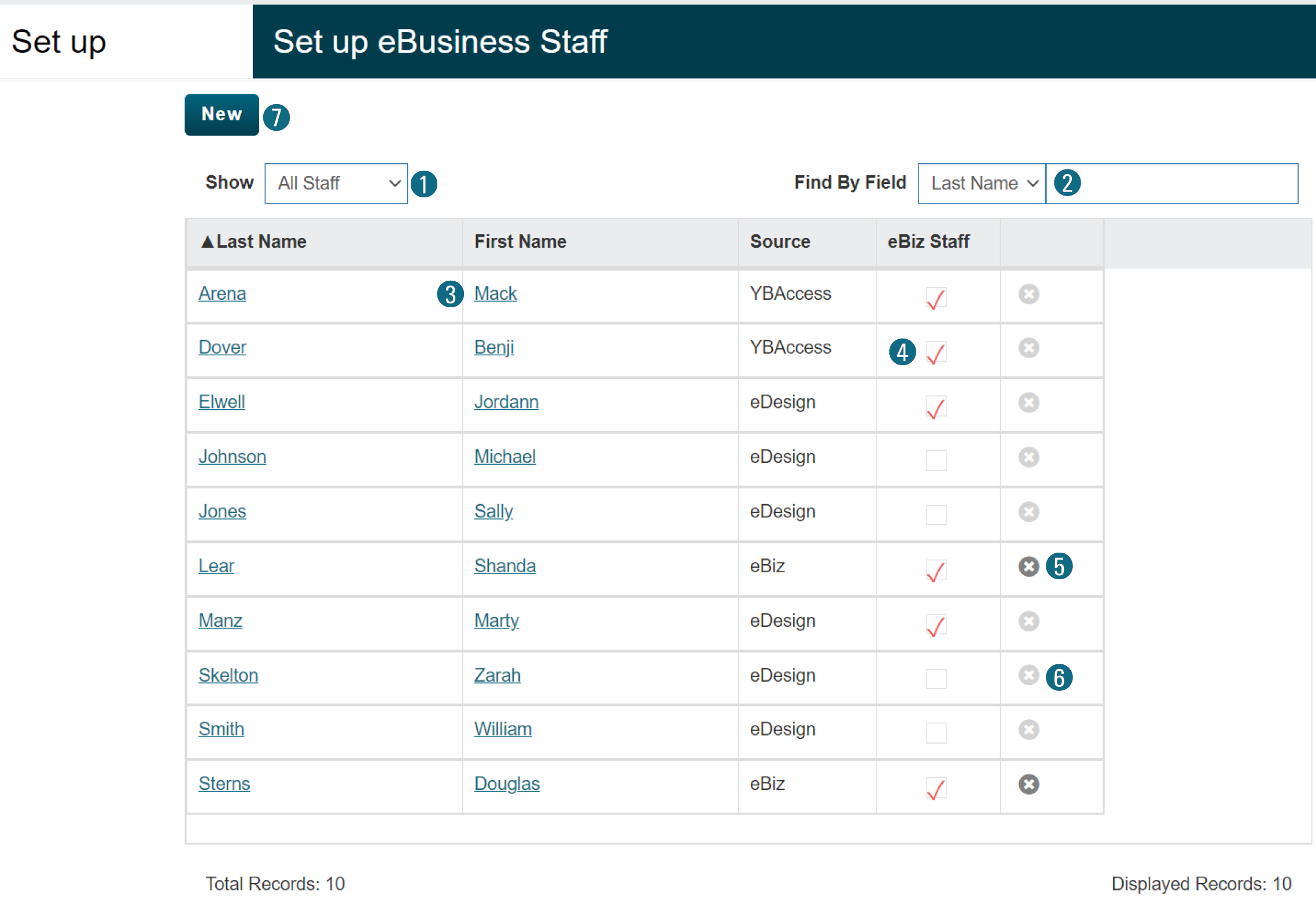
Easily view and manage eBusiness staff members.
1. Select the Show dropdown menu to narrow the staff results to active or inactive only.
2. Search for specific users by typing in the Find By Field and setting last name, first name or role.
3. Edit user information by clicking the blue underlined name.
4. Activate/deactivate staff by clicking the eBiz Staff checkbox.
5. Delete eBusiness added staff by clicking the X button.
6. Staff imported from eDesign can be deactivated, not deleted.
To add an eBusiness user:
7. Click the New button.
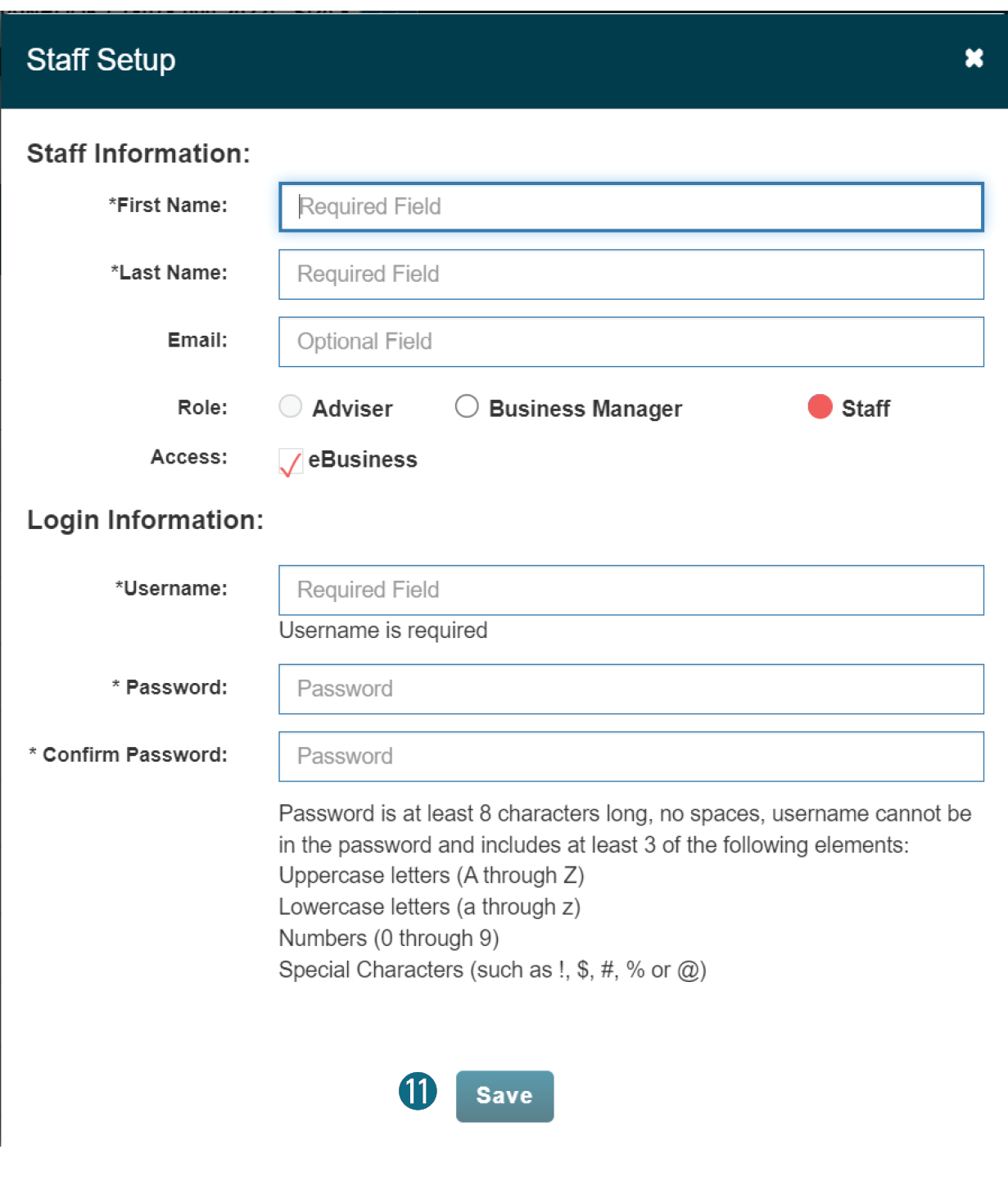
8. Enter last name, first name.
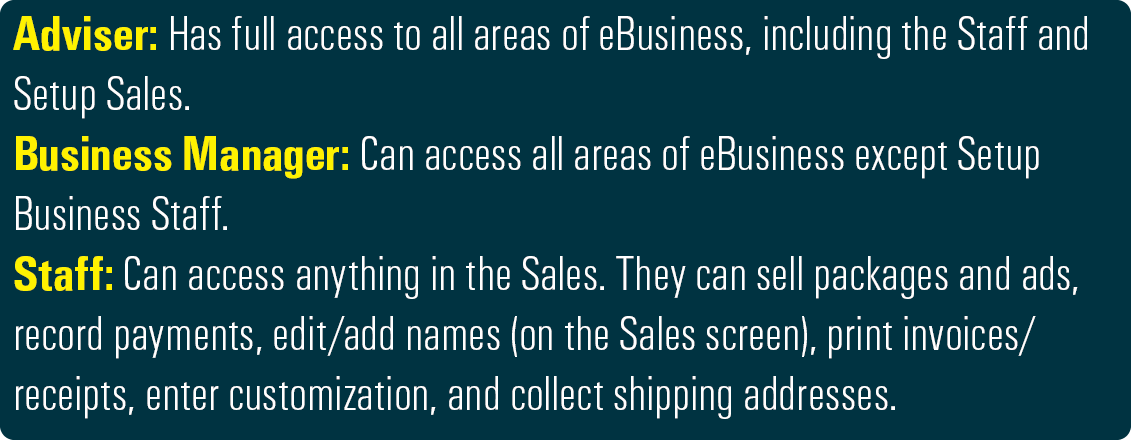
9. Mark the role.
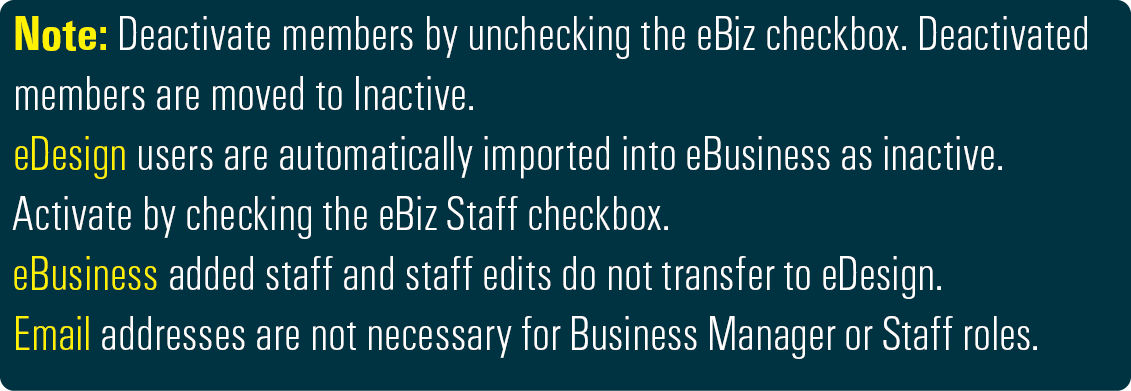
If necessary, check the activation checkbox.
10. Enter the login information.
11. Click the Save button.