Most sort and filter tips apply to both Sell and Report areas.
Sort Order
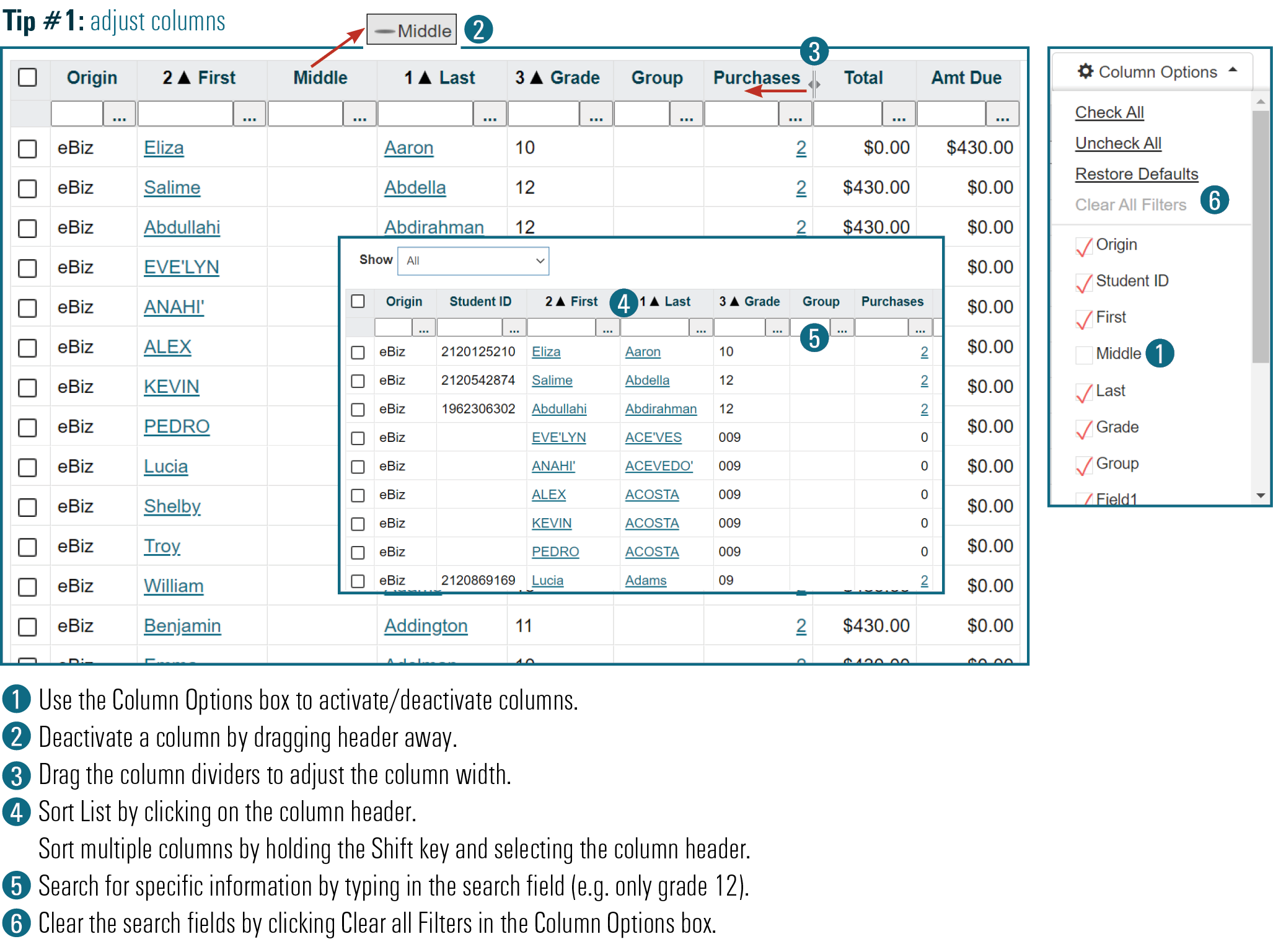
Click on a column heading.
Click once sorts ▲ (Z to A).
Click twice sorts ▼ (A to Z).
Sort Multiple
Click main sort column (e.g. Grade).
Shift-click secondary sort column (e.g. Last Name).
Search Field
At the top of each column is a search filed.
The column automatically filters as you type.
Clear Search
Delete text in the top of a column to clear the column filter
Clear All Filters clears all column filters.
Rearrange Columns
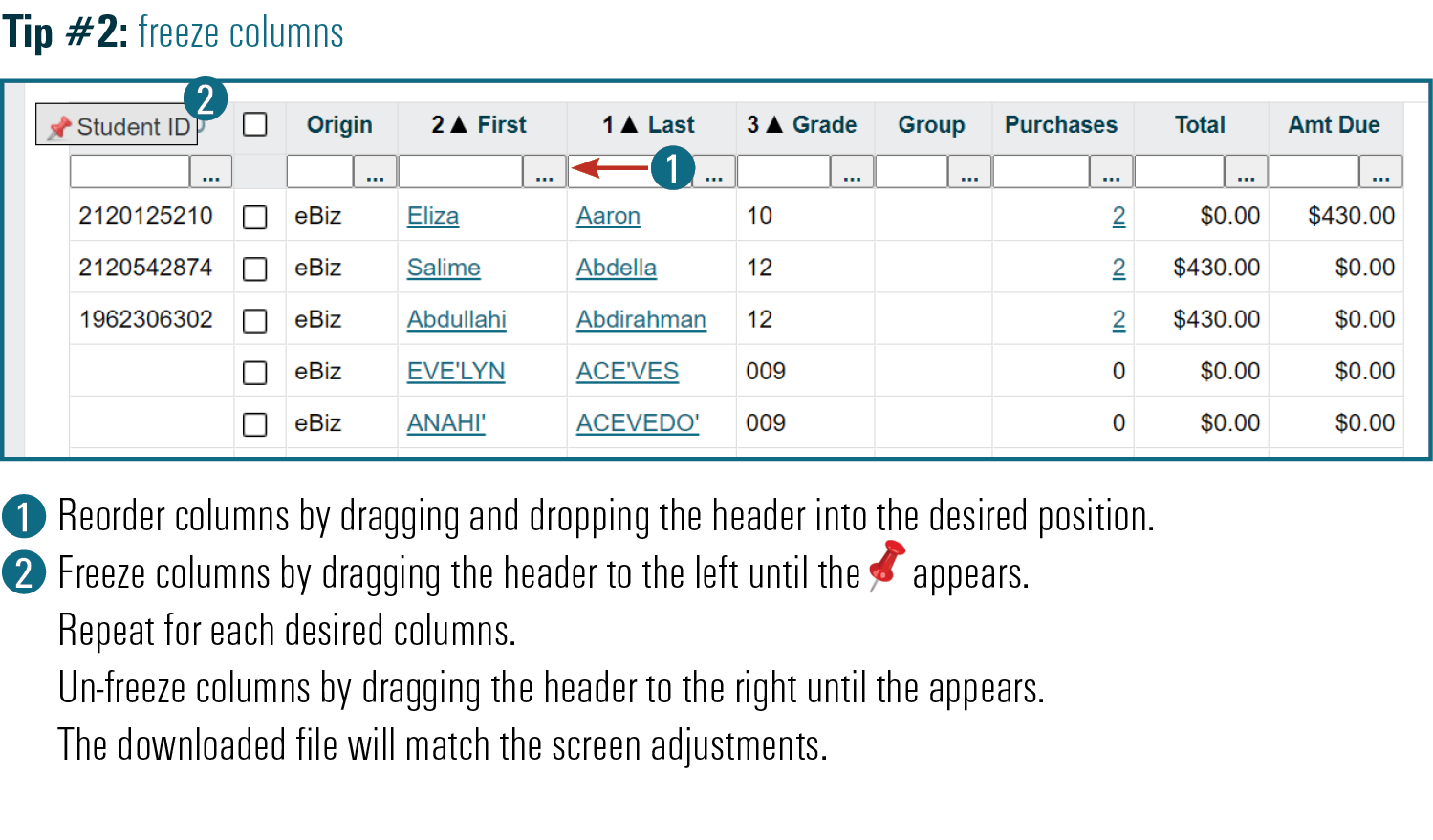
Drag and drop a column header to a new location.
Hide columns by dragging off of the screen.
Columns can be hidden and added in the Columns Options menu.
Freeze Columns
Drag and drop each column header to the far left  .
.
Un-freeze column by dragging it to the right  .
.
Filter by Date
Check the Use Dates box, set the date range, and click Refresh Report.
Previous Years
Define Your Report lest you view previous year’s sales.
Export Data
Any report can be exported as an Excel File or PDF.